




The First Step
November 16, 2020
Solved

Default Hot Desk Call Handling

  • November 16, 2020
  • 1 reply
  • 522 views

Currently, every time someone logs into a hot desk phone, the phone is set to only ring 4 times or 20 seconds. Our call queues are set to ring much longer than that, but the phone doesn't continue to ring after that. Can we change the default hot desking call handling time to 15 rings/75 seconds?
    Best answer by

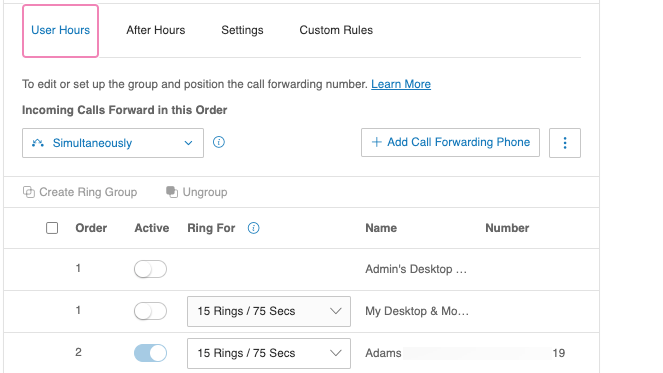
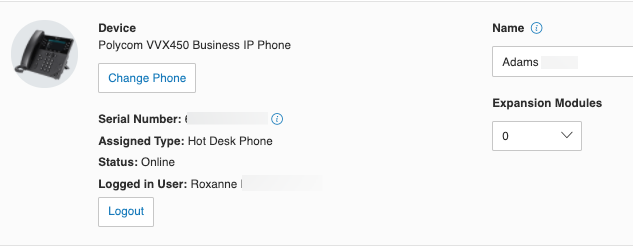
    Hello @Trevor Kurtz, you can change the ring through the user extension of the person who is logged in to the hot desk. I was able to change the ring for one of your Hotdesk phones. Please see the screenshot below:

    Change it to Users Extension.

    2020-11-19-00-51-00.png


    2020-11-19-00-54-08.png


    I am hoping this will help you. Thank you!

    1 reply

    Answer
    November 18, 2020

    Hello @Trevor Kurtz, you can change the ring through the user extension of the person who is logged in to the hot desk. I was able to change the ring for one of your Hotdesk phones. Please see the screenshot below:

    Change it to Users Extension.

    2020-11-19-00-51-00.png


    2020-11-19-00-54-08.png


    I am hoping this will help you. Thank you!