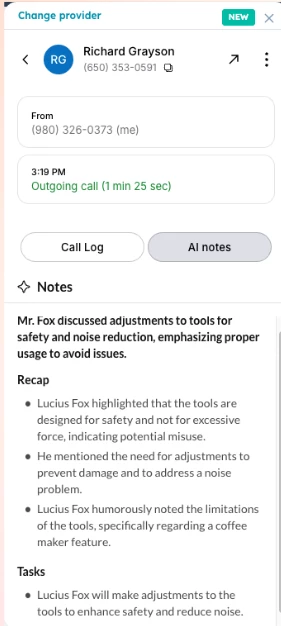
Right now, AI Notes are visible directly within the CTI panel and our HubSpot integration, so users can easily access and review them during or after a call.
Currently, we don’t support automatic logging of AI Notes into HubSpot. However, users can manually copy and paste the notes into the relevant record if needed.
That said, we're actively working on an autolog feature for AI Notes! This functionality will be available in a future release and will require an applicable license to enable.
I found out how to enable this. This is what I did:
There’s no automatic AI note sync to hubspot. I wish this were the case given the AI notes are already there. Feels like it should be an easy fix for RingCentral to enable this. I hope they enable this soon.
The only way I have found to get this working is to enable ACE (AI Conversation Expert) previously known as RingSense. This is an addon which costs extra. In the ACE settings, you can set an additional integration with HubSpot. This integration does have settings to push the AI notes and summaries generated by RingCentral. Do note, if you enable both the regular integration and the ACE integration you will have duplicate calls logged to HubSpot. For now, I have disabled the “call activity sync” in my ringcentral integration and only have the ACE integration sync enabled.
I feel this shouldn’t be needed.. but, as of now, is the only way I have found to make it work.