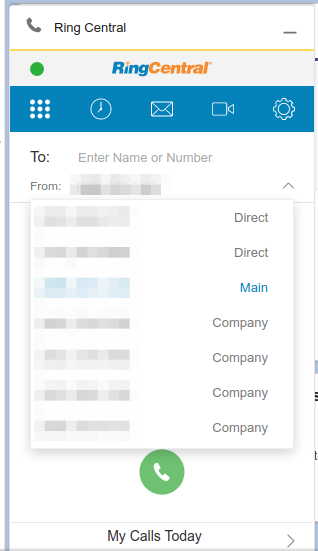
Every time a user logs in, the Main number is set as the "From" number. The preference would be to have their direct number as the only option on that list.
Settings --> Calls --> "Make my calls with" is set to Browser
Any ideas?
Every time a user logs in, the Main number is set as the "From" number. The preference would be to have their direct number as the only option on that list.
Settings --> Calls --> "Make my calls with" is set to Browser
Any ideas?
Best answer by Joe Cache
Don't bother Mary - I've been asking for that feature for a while... well, that and the ability to only have the extension use only XXXX number - not be able to choose block, etc.
Mark,
That setting is hidden in the Extension Settings - in a field you wouldn't think:
Go to a user
Click on the tab for 'Outbound Calls/Faxes'
Click the down arrow to expand on Caller ID.
The field you want is in the lower-right - the 'Alternate Caller ID'
Setting this to the number you want the extension to use will set it from that point on.
Have fun.
Enter your E-mail address. We'll send you an e-mail with instructions to reset your password.