




When my user with a manager role in RingSense, try to create a custom tracker in RingSense, they do not have the option to do and create one.


© 1999-2024 RingCentral, Inc. All rights reserved.
Privacy Notice
When my user with a manager role in RingSense, try to create a custom tracker in RingSense, they do not have the option to do and create one.
Best answer by Mary-Community_Moderator
Hi
By default, managers in RingSense can’t create custom trackers. But no worries, admins can set up a custom role that gives managers this permission and assign it to them.
Even better, by the end of this quarter, admins will be able to edit default system roles, so creating a custom role won’t even be necessary.
This should help explain why your manager wasn’t able to create a tracker. The screenshot shows the relevant permissions they’ll need.
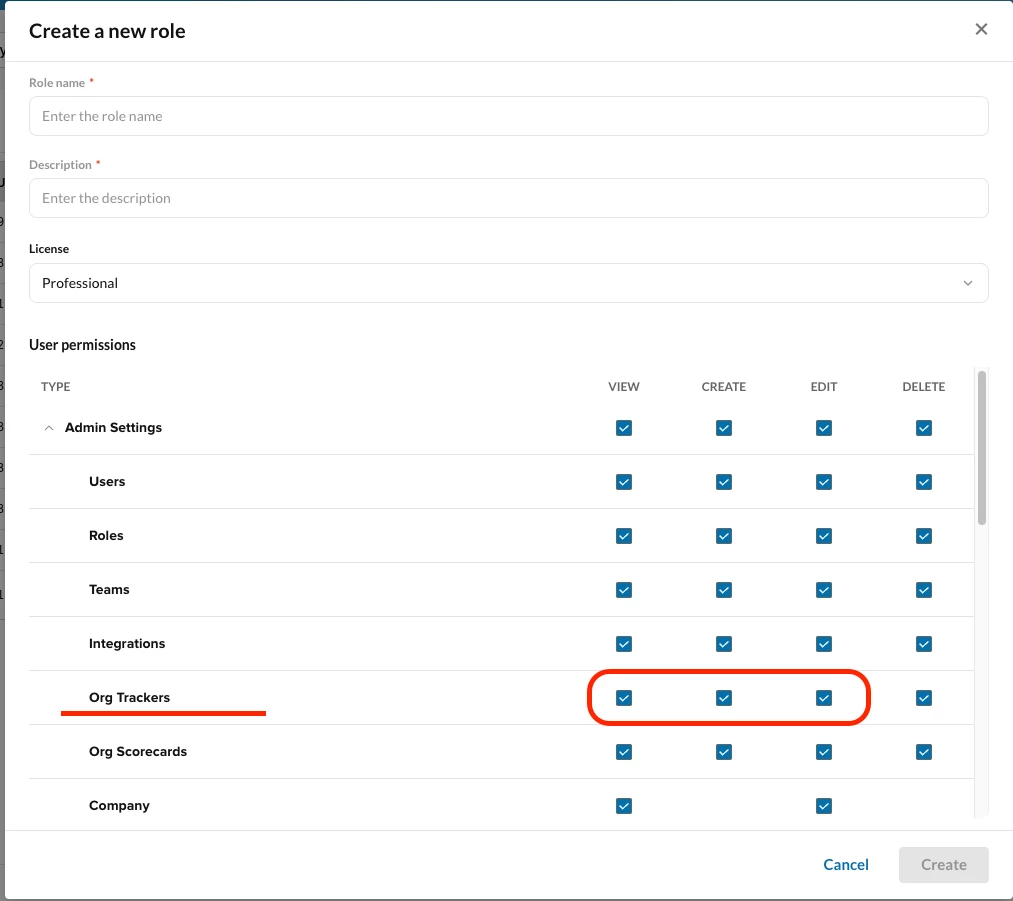
Here’s also a Knowledge Base article to guide admins on creating a custom role for managers. :)
https://support.ringcentral.com/article-v2/Managing-users-and-teams-in-RingSense.html?brand=RingCentral&product=RingSense&language=en_US#creating-custom-roles
Enter your E-mail address. We'll send you an e-mail with instructions to reset your password.