Answer

Phone coverage.

  • May 13, 2025
  • 4 replies
  • 110 views

Hi all,

How do I setup user coverage on RingCentral?  By coverage I mean that if a user is getting a call and she’s not able to pickup, then whoever is assigned to cover his/her phone will start to ring and able to pickup call, then if nobody can answer the calls, then it goes to the voicemail of the first intended user since that is the destination the caller was trying to reach.

Thanks


Best answer by Problem Solver

setting up coverage can be “tricky” I’ll give an example:

imagine 4 users A, B, C and D
A - missed calls forwarded to B
B - missed calls forwarded to A

C - missed calls forwarded to D 
D - missed calls forwarded to voicemail


A and B form a loop and the call never goes to voicemail.
C is covered by D, but D is not covered by anybody. No loop, but ideally we want D to be covered as well in this hypothetical.


The solution:
call queues.

Imagine 4 users A,B,C and D     and 4 call queues. Q1, Q2, Q3, Q4

A - missed calls go to Q1. If nobody in Q1 answers go to vm
B - missed calls go to Q2. If nobody in Q2 answers go to vm
C - missed calls go to Q3. If nobody in Q3 answers go to vm
D - missed calls go to Q4. If nobody in Q4 answers go to vm

No loop. Everybody is covered. 
Voicemail can be configured to be received by the original called party or by multiple people.
Bonus points 
if a user misses a call - whoever covers them will know that the call was addressed for somebody else, because it will be coming through the queue and not as a direct forward.

 

4 replies

Forum|alt.badge.img

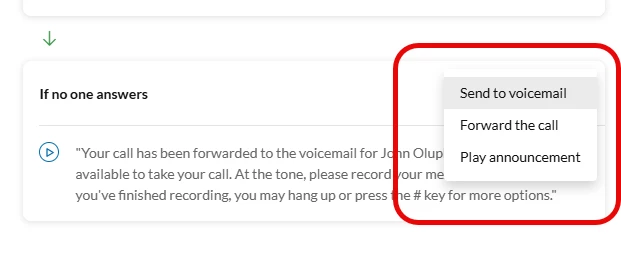
In the user’s Phone settings, look for this:


Forum|alt.badge.img

I don’t recall where a potential VM ends up, I believe in RC it goes to the forwarded line. 

An option checkbox for this would be a great feature…….


Problem Solver
  • Participating Frequently
  • May 15, 2025

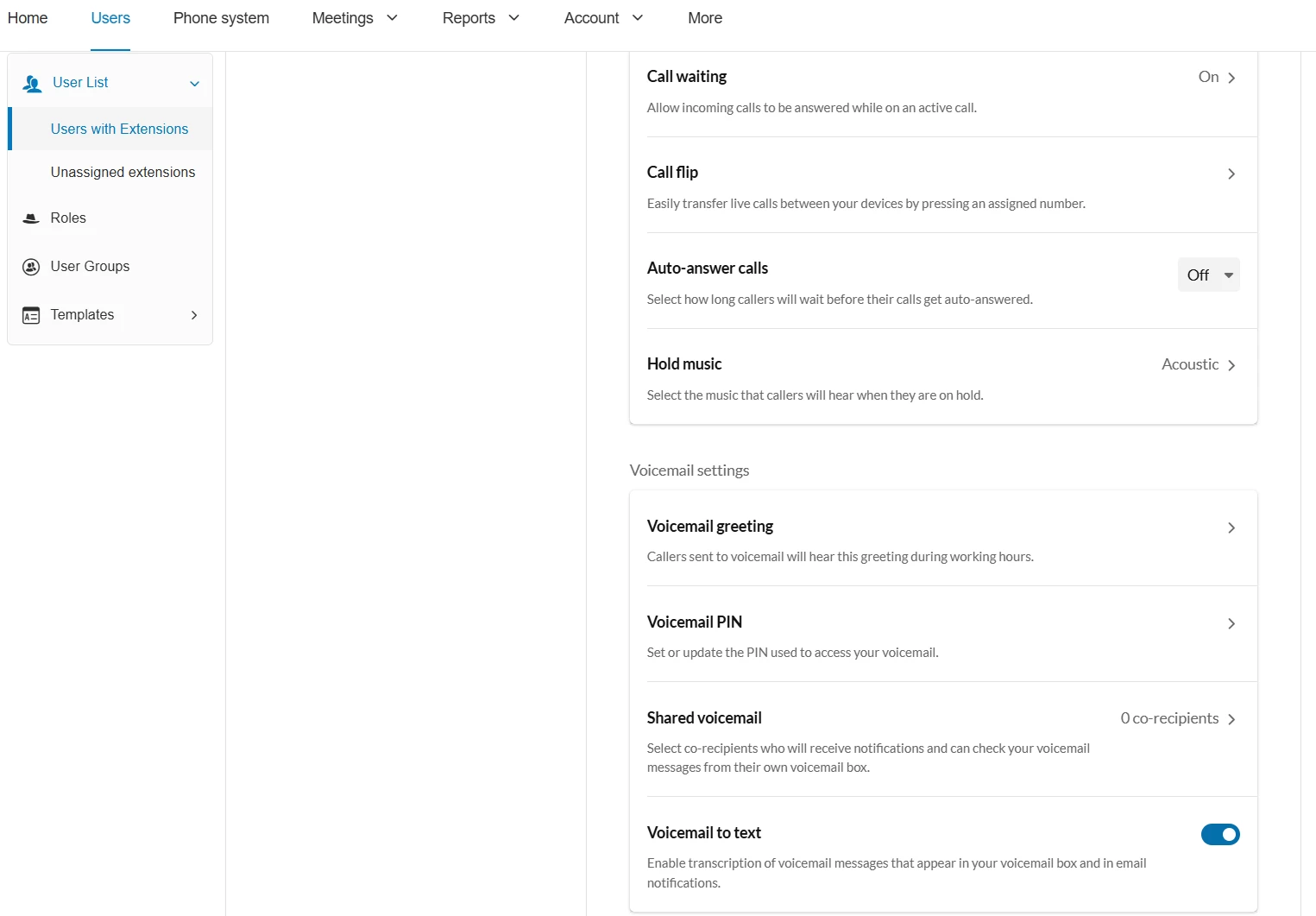
Voicemail can be configured from 2 points:

Click on user > Phone > Incoming call Rules > Incoming calls.

but it can also be configured from 

Click on user > Phone > scroll down to Voicemail settings


Problem Solver
  • Participating Frequently
  • Answer
  • May 15, 2025

setting up coverage can be “tricky” I’ll give an example:

imagine 4 users A, B, C and D
A - missed calls forwarded to B
B - missed calls forwarded to A

C - missed calls forwarded to D 
D - missed calls forwarded to voicemail


A and B form a loop and the call never goes to voicemail.
C is covered by D, but D is not covered by anybody. No loop, but ideally we want D to be covered as well in this hypothetical.


The solution:
call queues.

Imagine 4 users A,B,C and D     and 4 call queues. Q1, Q2, Q3, Q4

A - missed calls go to Q1. If nobody in Q1 answers go to vm
B - missed calls go to Q2. If nobody in Q2 answers go to vm
C - missed calls go to Q3. If nobody in Q3 answers go to vm
D - missed calls go to Q4. If nobody in Q4 answers go to vm

No loop. Everybody is covered. 
Voicemail can be configured to be received by the original called party or by multiple people.
Bonus points 
if a user misses a call - whoever covers them will know that the call was addressed for somebody else, because it will be coming through the queue and not as a direct forward.