



Answer

Can I join a video meeting with only speakers and no microphone?

  • January 9, 2025
  • 4 replies
  • 288 views

Forum|alt.badge.img

Pretty much the title. I have some users that need to join RC meetings, but they’re on desktops that only have speakers and no microphones. They just need to listen to the meetings, it’s sort of a group update kind of thing, but it looks like RC won’t let them join their speakers if they don’t have a mic. Is there any way to enable this apart from them having to dial in?
Best answer by Problem Solver

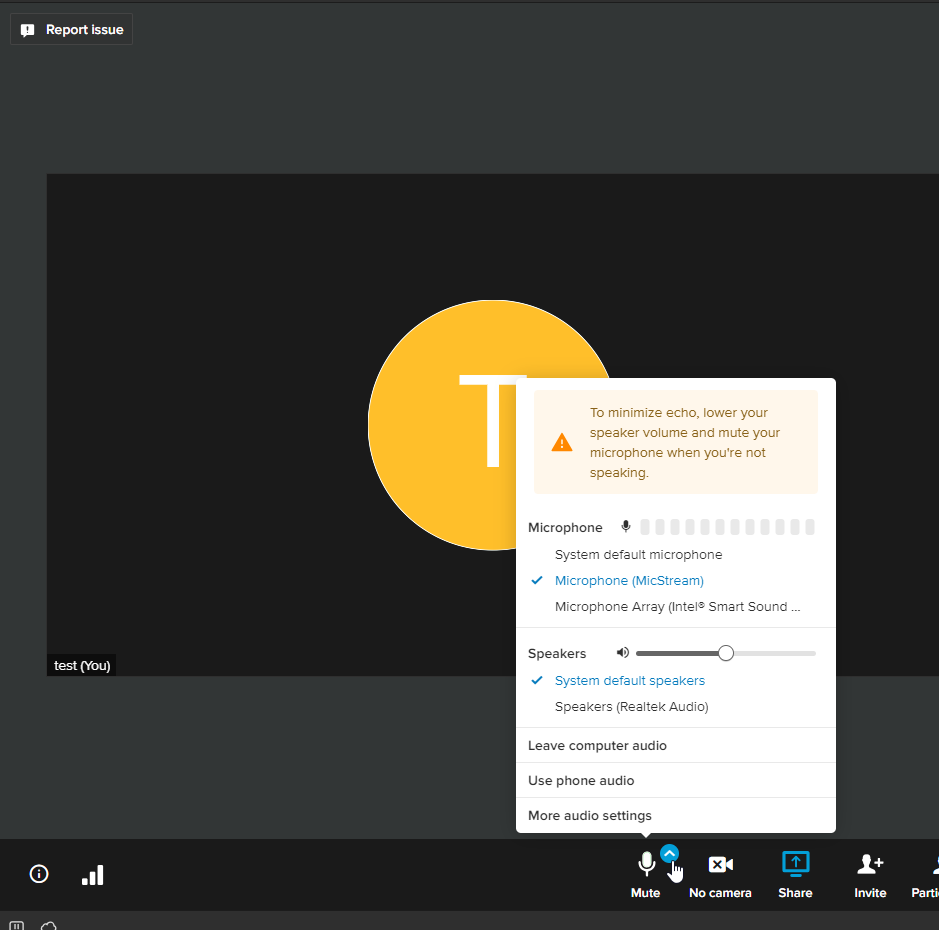
I googled “Virtual microphone” and this was the first result 
https://www.micstream.io/#instructions

I downloaded and tested it- pic below.
The instructions say to also download an app on your phone - but it’s not necessary for what you are trying to do and I didn’t download anything on my phone when I did the test.

their website says:

  • No Ads and free to use

Would highly recommend.


4 replies

Mary-Community_Moderator
Community Manager
Forum|alt.badge.img+1

Unfortunately, it requires both a microphone and speakers to connect via computer audio. If the desktop lacks a microphone, the option to join audio will not be available.

For users who only need to listen, dialing in using a phone is the best alternative. They can call the meeting’s dial-in number provided in the invitation to listen to the updates without needing a microphone.


Problem Solver
  • Participating Frequently
  • Answer
  • January 11, 2025

I googled “Virtual microphone” and this was the first result 
https://www.micstream.io/#instructions

I downloaded and tested it- pic below.
The instructions say to also download an app on your phone - but it’s not necessary for what you are trying to do and I didn’t download anything on my phone when I did the test.

their website says:

  • No Ads and free to use

Would highly recommend.


Forum|alt.badge.img
  • Author
  • New Participant
  • January 14, 2025

Unfortunately, it requires both a microphone and speakers to connect via computer audio. If the desktop lacks a microphone, the option to join audio will not be available.

For users who only need to listen, dialing in using a phone is the best alternative. They can call the meeting’s dial-in number provided in the invitation to listen to the updates without needing a microphone.

Yeah, I figured as much, thank you.


Forum|alt.badge.img
  • Author
  • New Participant
  • January 14, 2025

I googled “Virtual microphone” and this was the first result 
https://www.micstream.io/#instructions

I downloaded and tested it- pic below.
The instructions say to also download an app on your phone - but it’s not necessary for what you are trying to do and I didn’t download anything on my phone when I did the test.

their website says:

  • No Ads and free to use

Would highly recommend.


This is a great idea, I didn’t think of anything like this. Thanks for the suggestion!​​​​​​