


The First Step
Nov 4, 2020 3:32 PM UTC
Solved

Created Meetings not showing in schedule list

So in the RC app we are testing the meeting function so we can get rid of our existing software. We created a meeting for the next day, and for some the meeting doesn't create. For some the meeting creates and shows online, but does not show in the RC app (desktop).The meetings are created through the RC desktop app, as that is what the staff is using.

Trying to figure out why the meetings are not showing for 'within the next few days' on the schedule. Thoughts?
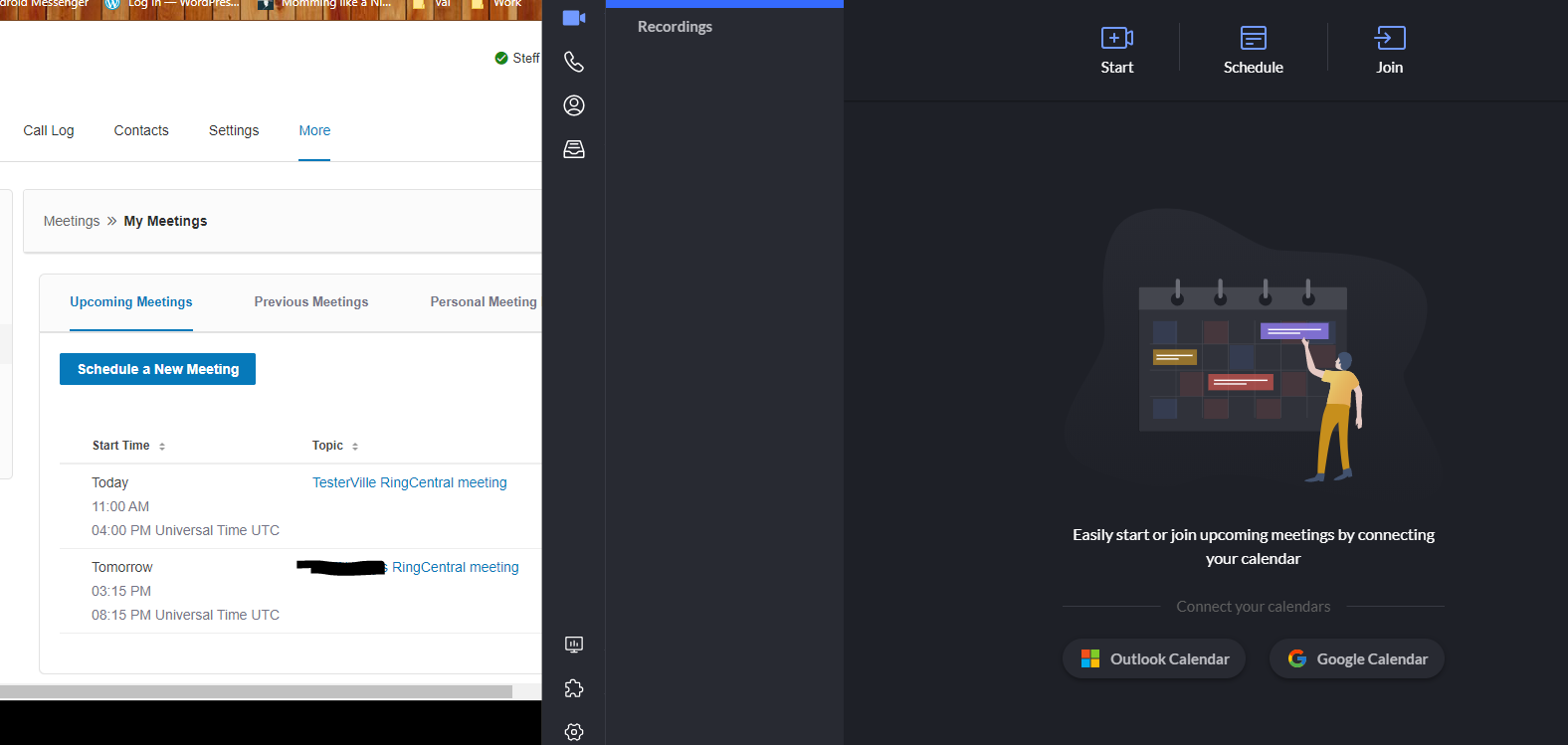
rcmtg.pngAlso when the invitations are created, why is it always UTC for the time? We have set our timezone.

Community Manager
Nov 4, 2020 10:15 PM UTC

Hi @Steff Harry,

You'll need to connect an Outlook Calendar or a Google Calendar to the app, and then create your meetings in Outlook/Google to synch to the meetings tab in the app.

8 replies

Community Manager
Nov 4, 2020 10:15 PM UTC

Hi @Steff Harry,

You'll need to connect an Outlook Calendar or a Google Calendar to the app, and then create your meetings in Outlook/Google to synch to the meetings tab in the app.

The First Step
Nov 5, 2020 8:29 PM UTC

That seems a tad un-necessary and bad design that items created in the app, need a third party software integration to show in the app they were created in. Not sure what the point of that is and is most un-useful. Thank you.

New Participant
Jul 13, 2021 9:00 PM UTC

RingCentral should show this internally on the events tab even without integration to an external app. This seems pretty standard since the event was created in your app and you have the data already. It should display in the events prior to sending it to an external calendar?

New Participant
Aug 23, 2021 6:27 PM UTC

This solution works, but it pulls in EVERYTHING from your calendar. That is not an acceptable solution.

The First Step
Nov 19, 2021 7:46 PM UTC

apparently this is still an issue. is RingCentral doing anything about this? is has been a year.

New Participant
Jan 28, 2022 6:59 PM UTC

I should be able to see upcoming scheduled meetings on all platforms (web, desktop & mobile) without integration of third party calendar. Are you indicating that this is NOT possible?

New Participant
Jan 28, 2022 6:59 PM UTC

I should be able to see upcoming scheduled meetings on all platforms (web, desktop & mobile) without integration of third party calendar. Are you indicating that this is NOT possible?

New Participant
May 3, 2026 7:02 PM UTC

Hi @Steff Harry,

You'll need to connect an Outlook Calendar or a Google Calendar to the app, and then create your meetings in Outlook/Google to synch to the meetings tab in the app.

This isn’t an acceptable solution.