







Question

How can i change Fax Sender information on the header of the fax document such as 'From' and 'Fax' Number?

  • February 12, 2021
  • 4 replies
  • 1162 views

How can i change Fax Sender information on the header of the fax document such as 'From' and 'Fax' Number?

4 replies

PhongVu
Community Manager
Forum|alt.badge.img
  • Community Manager
  • February 12, 2021

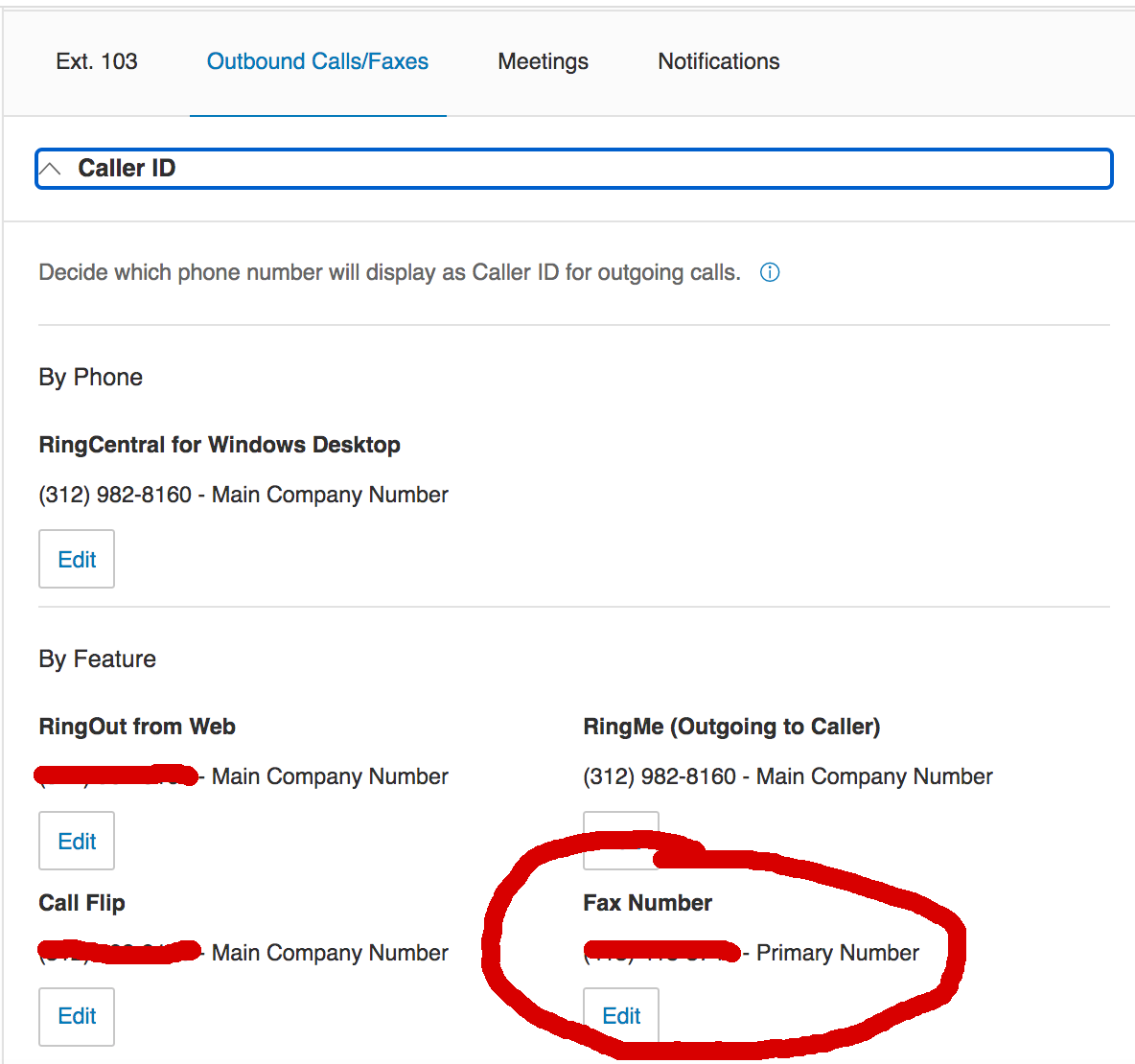
You cannot modify the "from" name unless you change the user extension's name from the service web. For number, you also need to login your account service web (service.ringcentral.com or service.devtest.ringcentral.com), select a user and click the "Outbound Calls/Faxs" and edit the Fax section accordingly.


screen-shot-2021-02-12-at-115933-am.png


  • New Participant
  • July 30, 2026

A similar question as above. But I am the administrator for our company.   We have 10 employees in our company.   And we have one main company fax number for our company.   is there an option where we can change the fax header to reflex our company information?  The “fax from” number should reflect as our main fax number for the company on all outgoing fax from our account.   Currently the fax header will only show the company’s main phone number.   Our working Ring Central Fax number is not listed in the admin fax options. 


PhongVu
Community Manager
Forum|alt.badge.img
  • Community Manager
  • August 3, 2026

A similar question as above. But I am the administrator for our company.   We have 10 employees in our company.   And we have one main company fax number for our company.   is there an option where we can change the fax header to reflex our company information?  The “fax from” number should reflect as our main fax number for the company on all outgoing fax from our account.   Currently the fax header will only show the company’s main phone number.   Our working Ring Central Fax number is not listed in the admin fax options. 


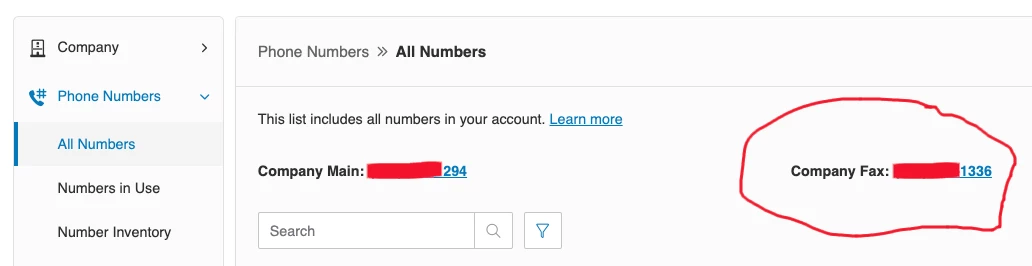
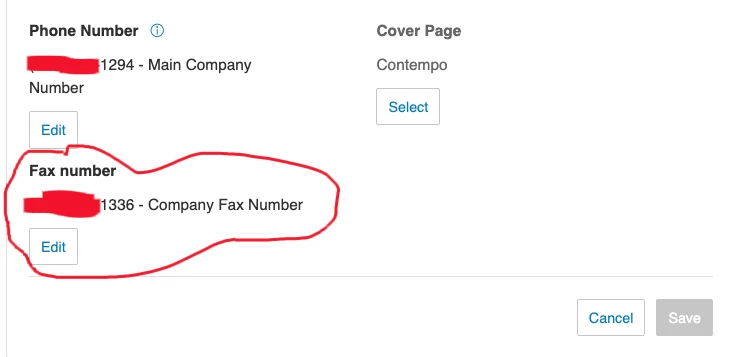
As a super admin, you can set the Outbound Calls / Faxes for any user extension under your account. And you can select the Company Fax number too. See the screenshots below and double check the Fax settings in your account.

Check the company Fax number


Select a user and navigate to the Outbound Calls/Faxes settings


Click Edit and select the Company Fax number


Save the setting and repeat the process for all other user extensions.


  • New Participant
  • August 3, 2026

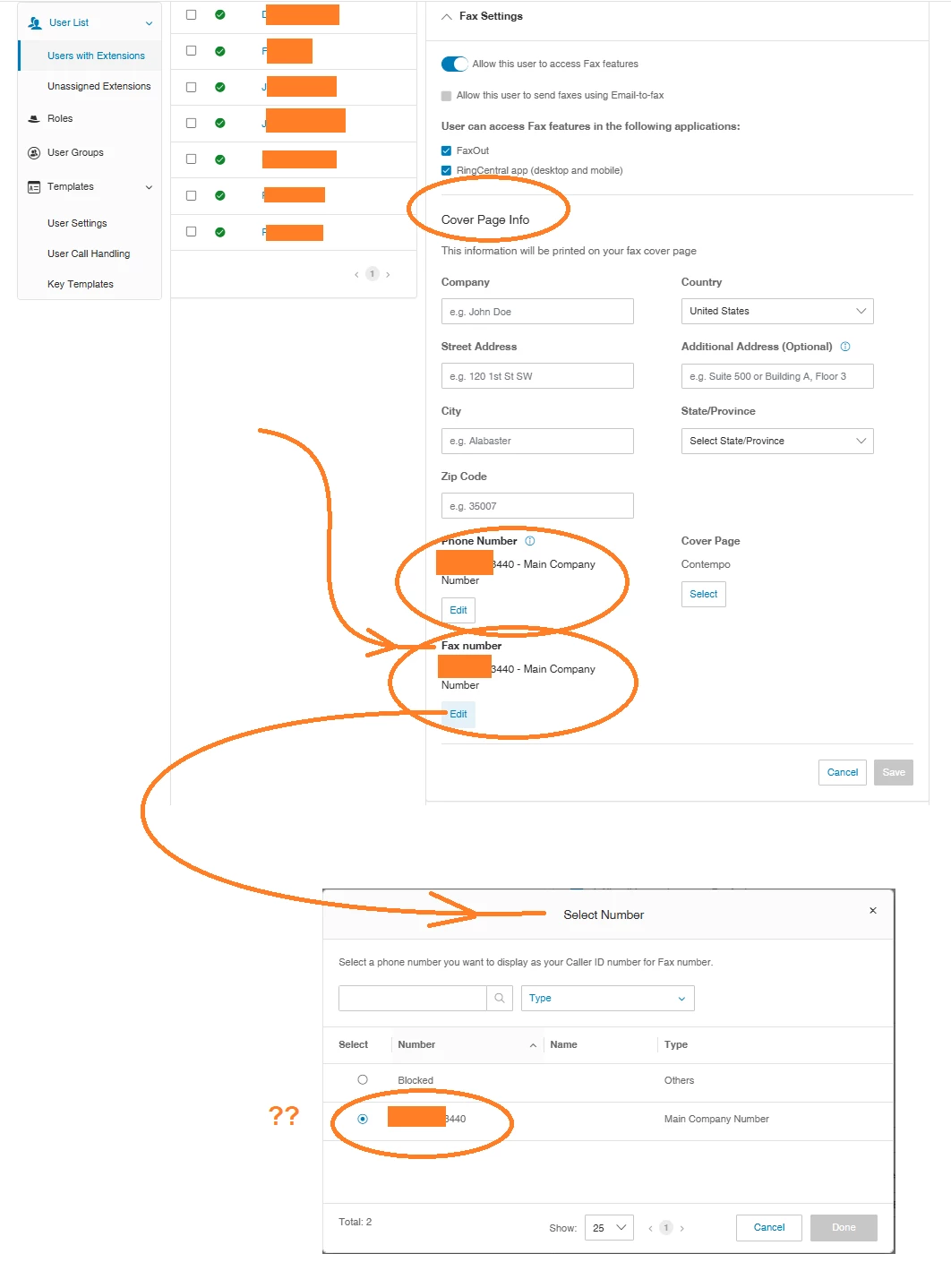
Your screen capture shows correctly with what we have setup as   Main Company #  and  Company Fax Number #,    That information on our system is correct.  There is no issues with that setup.       The issue that we have is with the Fax Cover Page info.     We do not have the option to select our fax number.   To try and edit the fax cover page info.  Our company fax number is not listed.  The only number listed is the Main Company phone number.