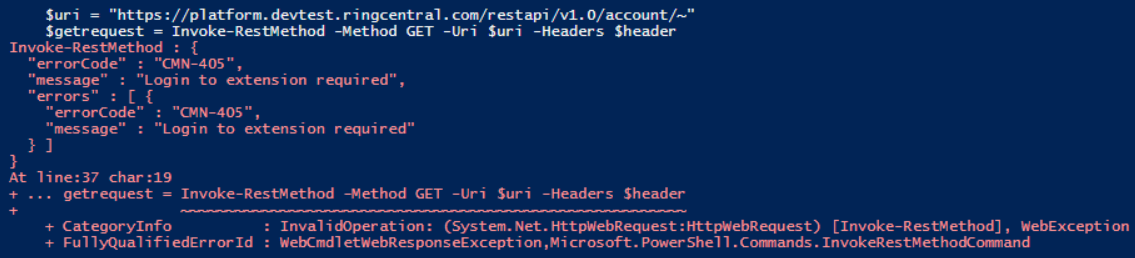
I use our power tool to generate a token and read your sandbox account with my Node JS code. I could read without any problem.
Since you are using PowerShell, I am not an expert in PS so I am not sure what could be wrong, but I am sure that it's something in the code. You can try just for confirming that all params you use and your sandbox is working normal by using one of our SDKs. E.g. the JS SDK. Here is what I just tested. You can perform a full password flow authentication from the code if you want to.
const RingCentral = require('@ringcentral/sdk').SDK

RINGCENTRAL_CLIENTID = "ZN6iThZnTp2ZyMWbXxxxyyyyzzz";
RINGCENTRAL_CLIENTSECRET = "aaaabbbbbccccc-20PRI1YdAYAv5l0VtUJQaiOaztJOT_mlg";
RINGCENTRAL_SERVER = 'https://platform.devtest.ringcentral.com'

var rcsdk = new RingCentral({
      server: RINGCENTRAL_SERVER,
      clientId: RINGCENTRAL_CLIENTID,
      clientSecret: RINGCENTRAL_CLIENTSECRET
  });


var platform = rcsdk.platform()

var tokensObj = {
 "access_token" : "valid-access-token",
 "token_type" : "bearer",
 "expires_in" : 3600,
 "refresh_token" : "abc",
 "refresh_token_expires_in" : 604800,
 "scope" : "ReadAccounts RoleManagement"
}

setToken()

async function setToken(){
  await platform.auth().setData(tokensObj)
  if (platform.loggedIn()){
      console.log("already logged in")
      read_account()
  }else{
    console.log("Tokens expired => Need to relogin!!!")
  }

}

async function read_account() {
  try{
    var resp = await platform.get('/restapi/v1.0/account/~/')
    var jsonObj = await resp.json()
    console.log(jsonObj)
  }catch(e){
    console.log(e.message)
  }
}