Question

Setting up an Algo 8301 for Paging in RingCentral

  • January 19, 2026
  • 9 replies
  • 69 views

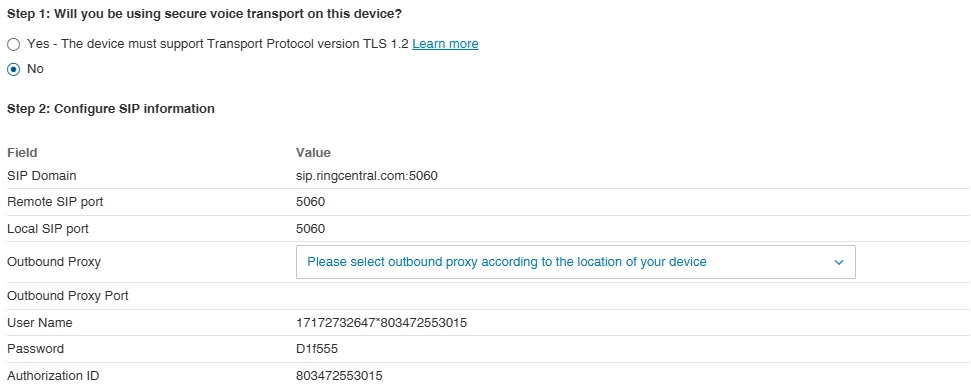
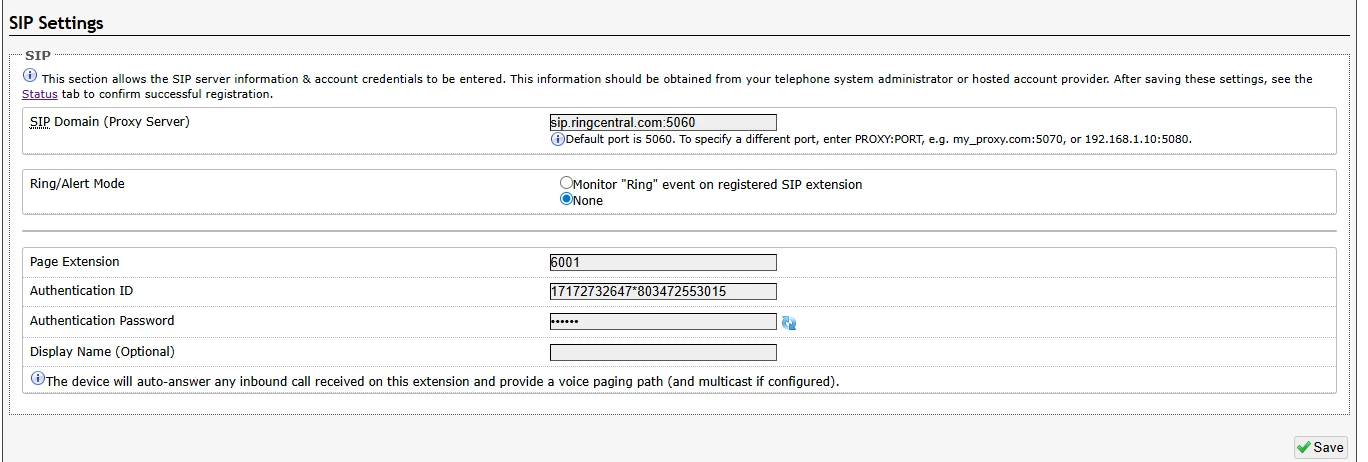
Trying to setup the page extension in the Basic Settings with the info given by Ring Central.  I keep getting no reply from server under the SIP Registration under Status.  Any guidance would be greatly appreciated.


The 8301 is only going to be used for overhead paging only.
9 replies

  • New Participant
  • January 22, 2026

When creating the paging device did you enable TLS? I have seen enabling that cause some issues. 

You put all the info inside the ALGO GUI right?


  • New Participant
  • January 22, 2026

I’m having the same exact issue. I feel like I have tried everything and still get a “No reply from server” error.


  • Author
  • New Participant
  • January 22, 2026

I have TLS off.  I put in the Username and password in the Basic SIP settings.  Where does the Authorization ID go?


  • New Participant
  • January 22, 2026

I have TLS off.  I put in the Username and password in the Basic SIP settings.  Where does the Authorization ID go?

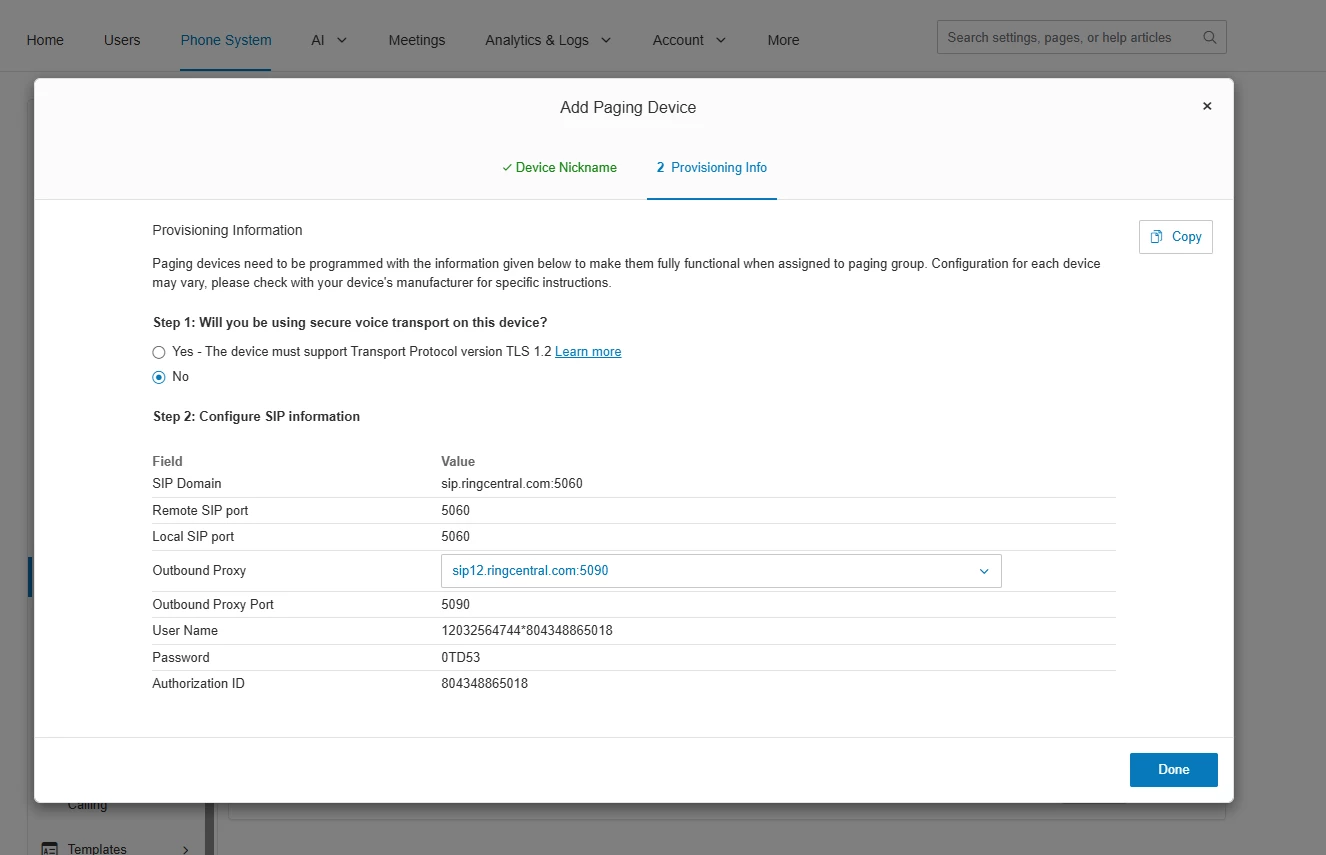
Would you happen to be able to share a screenshot of you Algo Web GUI settings? It would also be helpful if you could send a screenshot of your Paging device Provisioning info, mine was there just as a reference point 


  • Author
  • New Participant
  • January 22, 2026


  • New Participant
  • January 22, 2026


Thank you for sending this!

Have you tried entering the Username into the Page extension field, the authorization ID in the authentication ID section and the password in the password section. In advanced SIP settings did you put in the outbound proxy information? (you will need to select based on where you are located of me its NA EAST)


josecoki
  • Participating Frequently
  • January 23, 2026

@kfernsler,

We have these set up in my campus and they work great for paging and/or external ringers. If you want to manage the certificates, chose TLS. I chose not to.

The trick to the registration is the outbound proxy settings under advanced SIP settings. The URL is caps sensitive so make sure to type it in correctly (ex. for NA SIP10.ringcentral.com:5090). 

Let me know if you need some help and I will be happy to jump on a meeting with you.

Jose 


  • Author
  • New Participant
  • January 27, 2026

@josecoki ,

I will need to take you up on that offer.  I have all data incorrectly but still not connecting to RingCentral.


josecoki
  • Participating Frequently
  • January 27, 2026

@kfernsler sent you a DM.