Question

Turn off VM on Efax

  • January 30, 2026
  • 6 replies
  • 106 views

How can I turn off voicemail for our efax numbers?

6 replies

josecoki
  • Participating Frequently
  • February 2, 2026

In the admin portal, go to User List > Users with extensions and find the fax extension. When you click on the extension, you will have a toolbar menu right under the name with an option for notifications. Uncheck the email notification on the Fax item.

Here is the official KBA on it:

https://support.ringcentral.com/ca/en/ringex/fax/setting-fax-notifications.html


josecoki
  • Participating Frequently
  • February 2, 2026

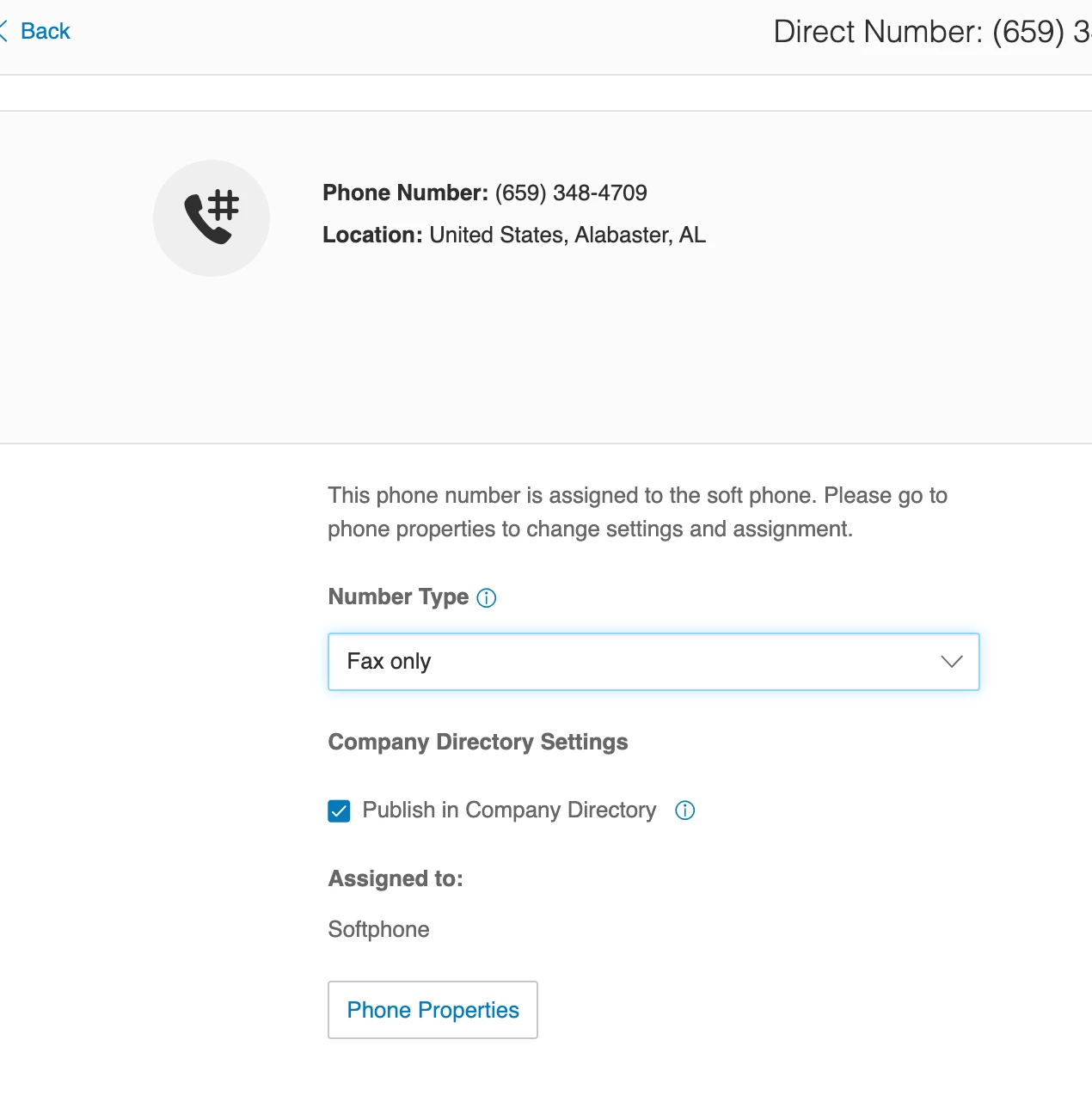
I just read your message in a different way. If you don’t want the caller to ever hear voicemail, make the line as a fax only line. You do that by pulling up the number from inventory and under number type, select fax only:


Mary-Community_Moderator
Community Manager
Forum|alt.badge.img+1

Hi ​@FORT2025


Regarding your eFax question, we want to make sure we give you the right guidance. Could you clarify a couple of things first?

  • Is this number assigned to a specific user as their primary line, or is it a dedicated, standalone Fax-only number?

  • Are callers currently hearing a standard voicemail greeting, or are they getting a 'mailbox full' error?


  • Author
  • New Participant
  • February 3, 2026

This is a fax only number.  Yes, callers are hearing the greeting.


Mary-Community_Moderator
Community Manager
Forum|alt.badge.img+1

This is a fax only number.  Yes, callers are hearing the greeting.

Thanks for clarifying. ​@josecoki suggestions could be a great way to follow for fixing it. 


Mary-Community_Moderator
Community Manager
Forum|alt.badge.img+1

This is a fax only number.  Yes, callers are hearing the greeting.

Thanks for clarifying. ​@josecoki suggestions could be a great way to follow for fixing it. 

Thanks for clarifying! The suggestions shared by ​@josecoki could be really helpful in getting this fixed. 😊