
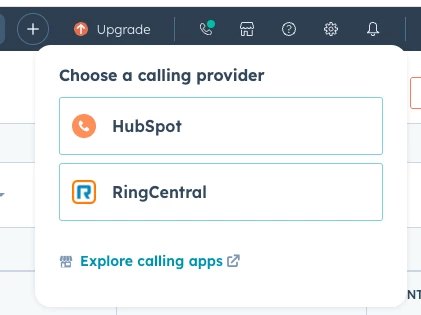
Here are some common reasons why calls might not be logged:
Make sure you are logged into the integration and it is running
Ensure that the calling provider is set to RingCentral and that you are logged in. Each call that comes in will show up in the call history as well as in real time to be logged manually or automatically (if toggled on)
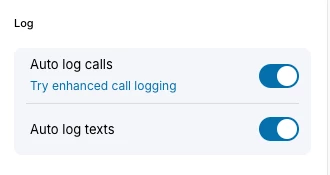
Auto Call Logging is not toggled on
If manual call dispositioning is redundant or not needed, RingCentral does provide an “auto log” toggle found within the settings. With this toggle - as long as the integration is running than any calls taken with the integration will log automatically and include duration and direction regardless of if the calls was saved or not by the end user.
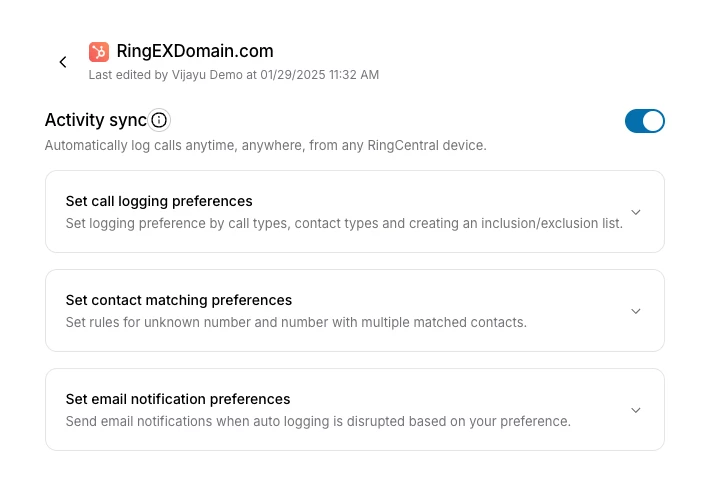
The call is being taken on a mobile device and Activity Sync is not enabled
Calls taken on any RingCentral application can actually be logged as well, but only if Activity Sync is turned on by your RingCentral and HubSpot Admin. If this is enabled we log these “offline” calls as well through the back end following the configuration logic.