




Question

Server Side Logging admin option broken

  • July 1, 2026
  • 6 replies
  • 81 views

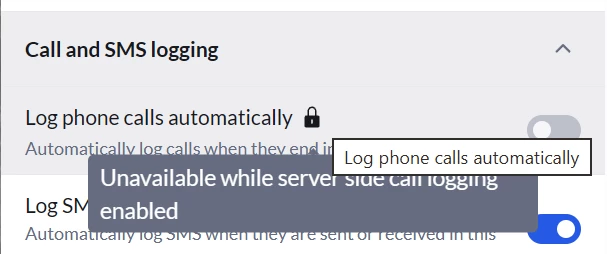
Automatic call logging appears to have stopped within the last week or so.  Went to check the settings and Log phone calls automatically is locked because Server Side Logging is enabled but I can’t remember if the switch is supposed to be off or on.
I wanted to disable Server Side Logging but the Admin setting does not load the full menu as per these instructions: Logging RingCX calls via App Connect - App Connect for RingEX
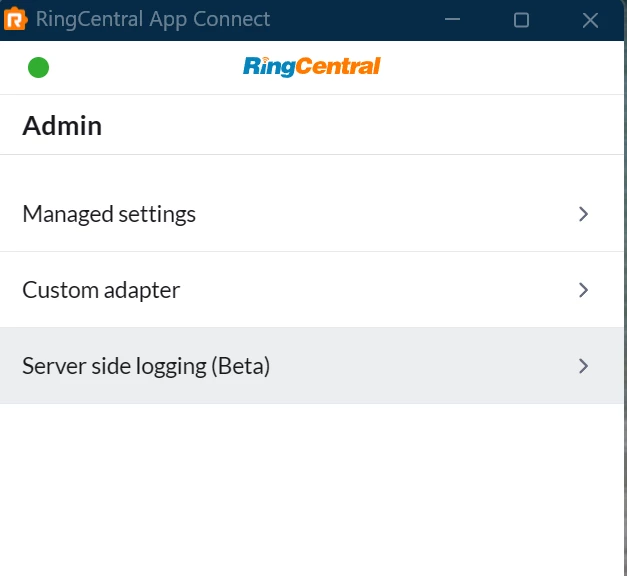
Clicking Server Side Logging appears to start loading but then just sits on this screen.

I have tried both the stable and beta releases and the same thing happens with both and I have uninstalled and reinstalled both versions and tested them separately. 

Anyone else having issues with Call Logging?

6 replies

dakong
Community Manager
  • Community Manager
  • July 2, 2026

@ProEngineering It should be fixed now. Please give it another try. 


  • Author
  • The First Step
  • July 6, 2026

Thank you so much for the follow up.  The settings are back and we were able to disable Server Side Logging.

The reason we wanted to disable Server Side Logging is because the automatic call logging stopped working a week or three ago.

Disabling Server Side Logging and reenabling the regular Log Phone Calls Automatically setting does return the automatic call logging ability.  

After testing the regular log calls automatically setting, we went back to reenable the admin only Server Side Logging setting and when this is enabled, calls are not automatically logged again.


dakong
Community Manager
  • Community Manager
  • July 7, 2026

@ProEngineering 

It’s by design when server-side logging is turned ON, client side auto logging will be forced OFF. The reason is to avoid duplicated logs.

I think it makes some sense to have server-side logging admin only + client local logging work at the same time. Could you share your use case so I can better evaluate it? Thanks!


  • Author
  • The First Step
  • July 7, 2026

Thank you again for your prompt response.  

I understand that the client-side auto logging will be forced off when server-side logging is on to avoid dulicate logs.

I mean that auto logging when server-side logging is on stopped logging and does not auto log any calls.


dakong
Community Manager
  • Community Manager
  • July 8, 2026

@ProEngineering 


Got it. That looks like a bug. Could you share these with me via da.kong@ringcentral.com ?

  1. RingCentral Account ID
  2. CRM platform

RC acct id, if you don’t know it already, it might be a bit tricky to get. Here are the steps:

  1. Install https://chromewebstore.google.com/detail/ringcentral-app-connect-b/bgpkbcidaabaeioilooghlffdcmlimgk?hl=en
  2. RC login
  3. Go to user setting → Support → there should be one line of texts showing it

  • Author
  • The First Step
  • July 8, 2026

Information requested sent.