

Poly E350 - I keep having a provisioning error Missing files, config.reverted

  • July 27, 2026
  • 1 reply
  • 39 views

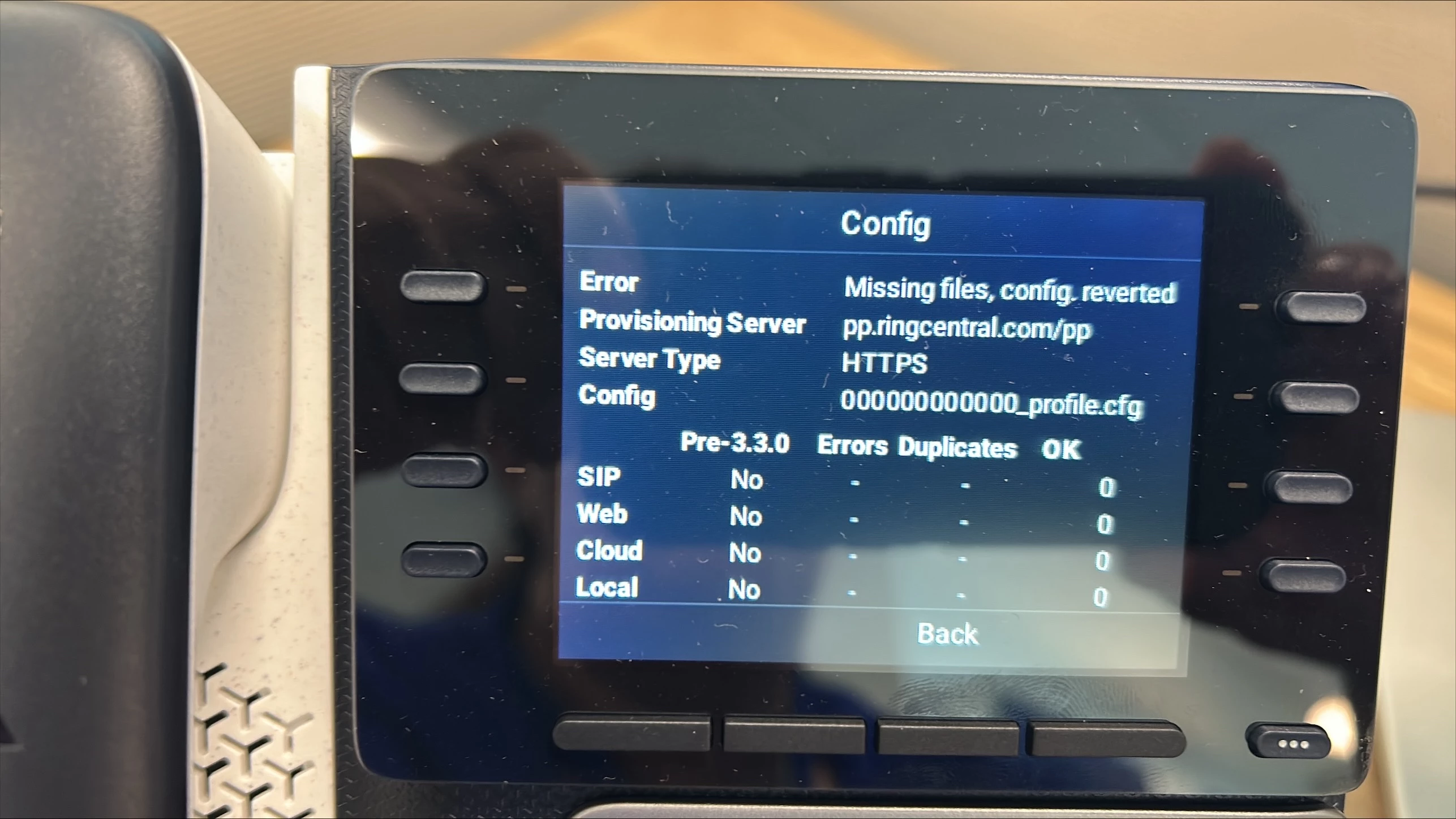
I keep receiving the error below when I’m setting up a device, please help
 

1 reply

Mary-Community_Moderator
Community Manager
Forum|alt.badge.img+3

The "Missing files, config.reverted" error means your phone reached out to RingCentral, but RingCentral couldn't find a matching configuration for your phone's MAC address, so the phone reverted back to default.

Here are the 3 simplest steps to fix this:

  1. Verify the MAC Address in the Admin Portal

    • Log into your RingCentral Admin Portal > Phone System > Phones & Devices.

    • Find your device and double-check that the MAC address entered matches the sticker on the back of your phone exactly. A single wrong digit will cause this error.

  2. Perform a Factory Reset

    • If the MAC address is correct, old settings on the phone might be blocking the sync.

    • On the phone screen, go to Settings > Advanced (enter password 456 or 789) > Administration Settings > Reset to Defaults > Reset Local Config (and Reset Device Settings).

  3. Check the Provisioning URL

    • Your phone screen shows [pp.ringcentral.com/pp](https://pp.ringcentral.com/pp) which is correct. Once reset, reboot the phone while connected to the internet, and it will pull the correct configuration files automatically.

For detailed steps, refer to the RingCentral Desk Phone Provisioning Guide

Hope this helps! 

If this resolution helped solve your issue, please mark this comment as the best answer!