
New Participant
September 21, 2023
Solved

Auto print incoming faxes

  • September 21, 2023
  • 5 replies
  • 855 views

I had RingCentral set up so that when we received a fax it auto printed. I got a new computer with Win 11 Pro, reinstalled RC and now I cannot find an option to auto print. I have consulted with 2 different RC reps, neither of which could figure out what is wrong. One rep I spoke with said on his version RC had that option, so my guess is they took out the auto print feature? I am running 23.3.23.8166 Windows (x64). Any ideas?

Best answer by Mary-Community_Moderator

Is this feature still available? I can’t find the settings. 

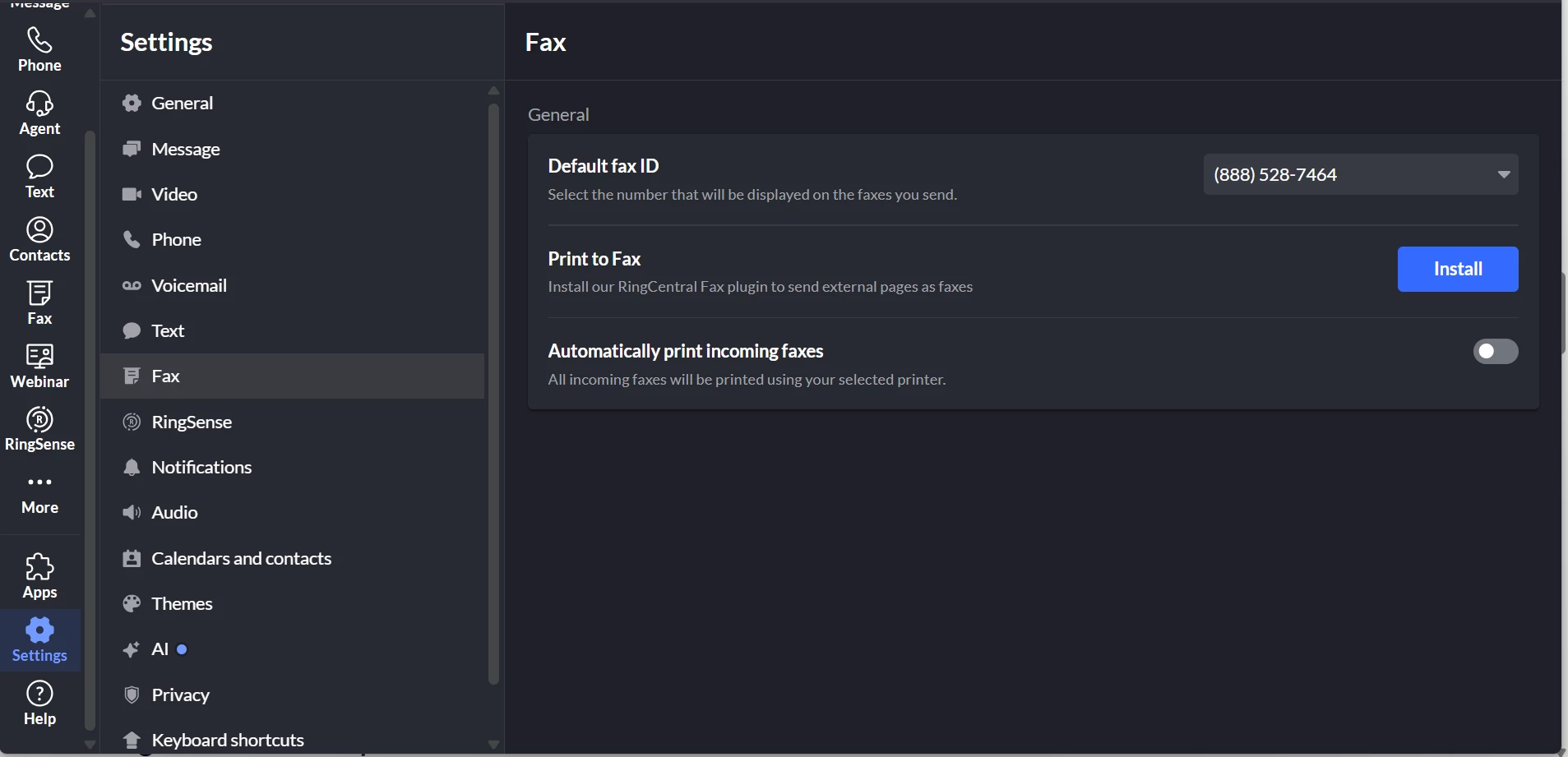
Hi! The Fax tab has now been added, so no need to go through the Phone tab anymore. You can check it out in the screenshot below 🙂


5 replies

New Participant
September 28, 2023

I have the RingCentral app installed and see the option for automatic printing of faxes:

screenshot-2023-09-27-211230.png

New Participant
April 30, 2025

We recently upgraded to Windows 11, and fax auto print quit working. I can set the option, but it doesn’t print. Is there an admin parameter that needs set?


New Participant
April 30, 2025

Sorry, user error. We had a printer problem not Ring Central. It’s working. Thanks

The First Step
September 15, 2025

Is this feature still available? I can’t find the settings. 

Mary-Community_Moderator
Community Manager
Community Manager
September 16, 2025

Is this feature still available? I can’t find the settings. 

Hi! The Fax tab has now been added, so no need to go through the Phone tab anymore. You can check it out in the screenshot below 🙂