

The First Step
Aug 21, 2024 7:16 PM UTC
Solved

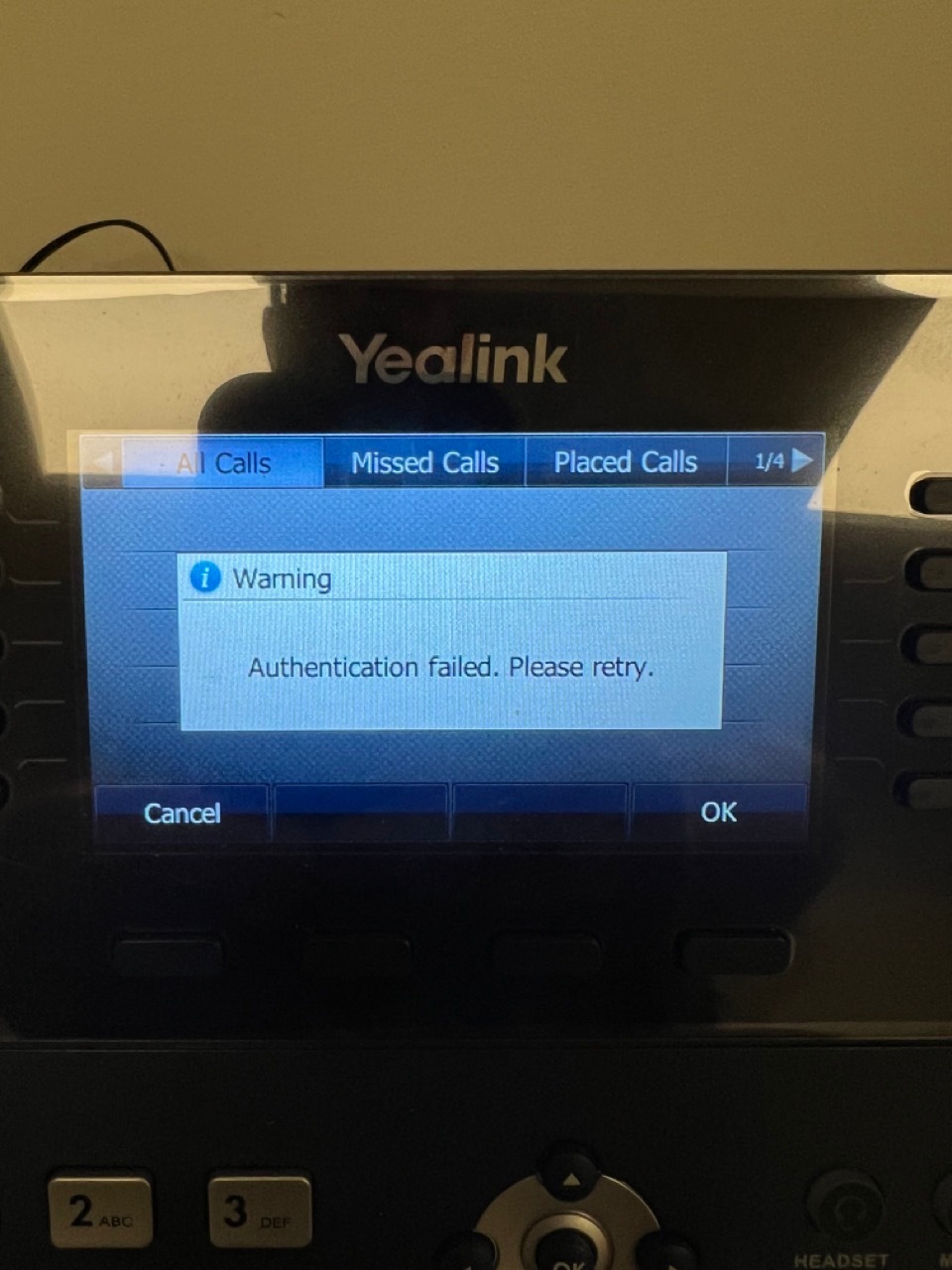
Authentication Failed when trying to view missed calls or call history on Yealink T46u

Hi, We had this pop up two weeks ago but only on our T46U phones. Whenever we try to view a missed call or view call history in the menu, we get an error message that Authentication Failed. Please Try Again. This is across our entire organization. I put in a support ticket, and within a couple of days, I received two phone calls and an email from Ring Central telling me that it was a known issue affecting several of their customers, they had re-created the issue, but didn’t have a resolution yet. A few days later, Ring Central closed the support ticket as resolved, but we’re still having the issue. I re-opened the ticket and tried to escalate it, but I’ve not heard back from anyone at Ring Central. This is causing significant issues in our workplace, so I’m trying to find a solution.

Thanks, Mike Camden


MikeCamWVAnswer
The First Step
Aug 22, 2024 4:34 PM UTC

Ring Central called me a little while ago. They had me perform a factory reset on each phone and redo the auto provisioning. That resolved at least the first issue (failed authentication). Won’t know about the second issue (daily reset of the phone losing all DSS programming and date/time settings) until a couple of days have passed. 

4 replies

MikeCamWVAuthor
The First Step
Aug 22, 2024 3:15 PM UTC

We also have a second issue that started at the same time, so I’m guessing it’s related to the first. 

Second Issue: Since Aug 8, all of our T46U phones appear to be getting reprovisioned every night. Every morning, when the staff comes in, the time setting has been reset for each of those phones and the DSS Key programming has also been reset. This is also having a significant negative impact on the functionality of our phone system.

MikeCamWVAuthorAnswer
The First Step
Aug 22, 2024 4:34 PM UTC

Ring Central called me a little while ago. They had me perform a factory reset on each phone and redo the auto provisioning. That resolved at least the first issue (failed authentication). Won’t know about the second issue (daily reset of the phone losing all DSS programming and date/time settings) until a couple of days have passed. 

MikeCamWVAuthor
The First Step
Aug 23, 2024 7:14 PM UTC

The settings are still in place today, so I’m thinking the steps they had me perform resolved the issue.

Mary-Community_Moderator
Community Manager
Community Manager
Aug 23, 2024 10:20 PM UTC

The settings are still in place today, so I’m thinking the steps they had me perform resolved the issue.

We're delighted to hear that your issue has been resolved, @MikeCamWV! Thank you for sharing the resolution here. Your contribution is incredibly helpful! 🙏