


The First Step
July 14, 2023
Question

How do I disable the standalone phone option in the desktop app?

  • July 14, 2023
  • 2 replies
  • 769 views

According to this Desktop App support page, I can disable the Use Standalone Window For Phone Calls option in Settings. You can see by the below image that the option does not appear in my Desktop App Settings.

How do I disable the Use Standalone Window For Phone Calls option?
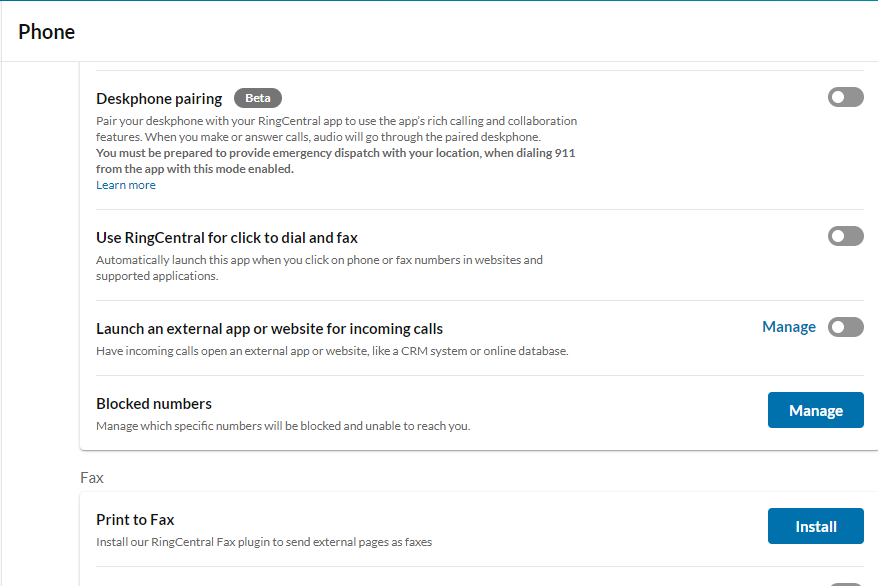
nostandaloneoption.png

2 replies

Mary-Community_Moderator
Community Manager
Community Manager
July 14, 2023

Hi @Danial Tejada, is your app currently updated to the lates

Participating Frequently
July 14, 2023

in the top right corner of the app there is a slider that says "new layout"
If I turn it OFF i see the option you want to disable.
If I turn it ON the option is not visible.

So you have to switch to the old layout, change the setting, and if you want you can switch back to the new layout.

1689374849661.png