New Member
October 14, 2024
Solved

Ringcentral Message Dialogue Opening at Windows Startup

  • October 14, 2024
  • 2 replies
  • 198 views

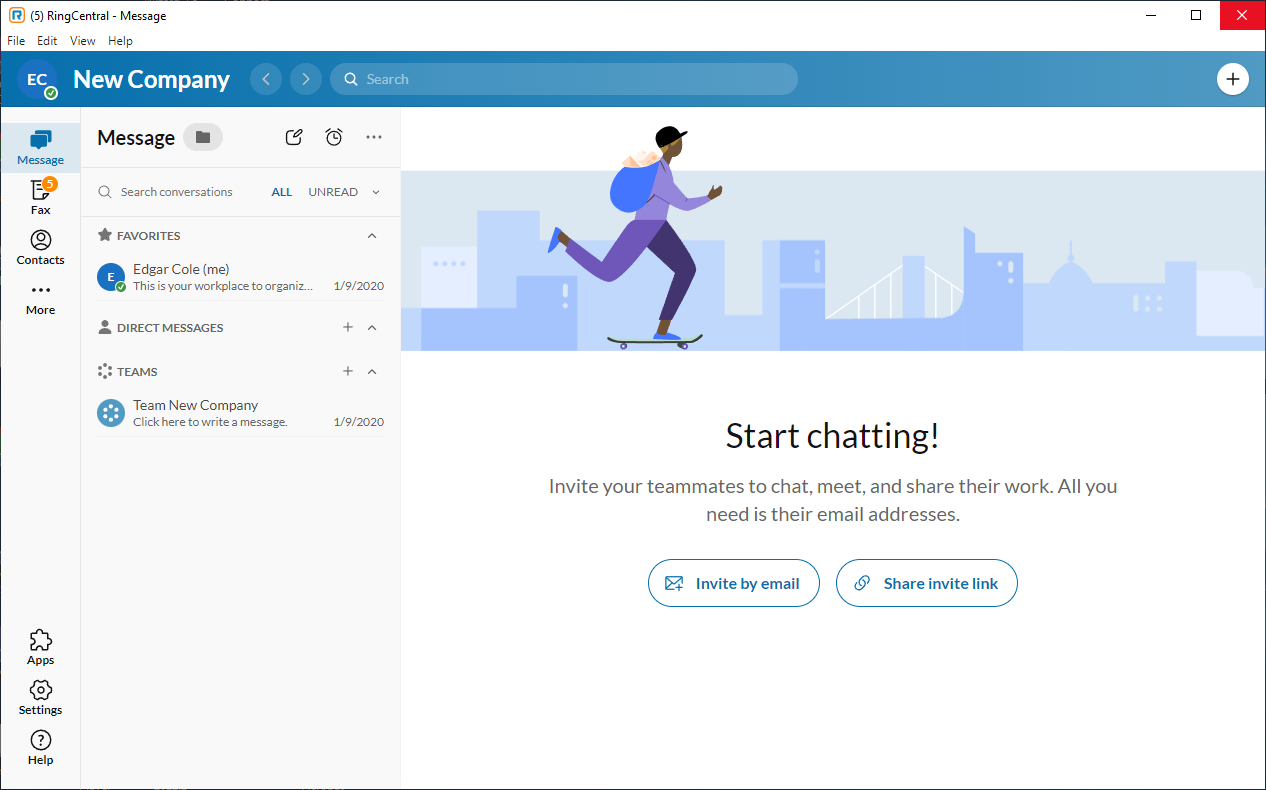
Ever since the most recent update to my installation of Ringcentral, the Ringcentral message window is opening when Windows starts (refer to the attached example). I don't recall authorizing this behavior, nor even being given an opportunity to authorize the behavior. Please let me know how to disable the autostart of Ringcentral – Message


    Best answer by Problem Solver

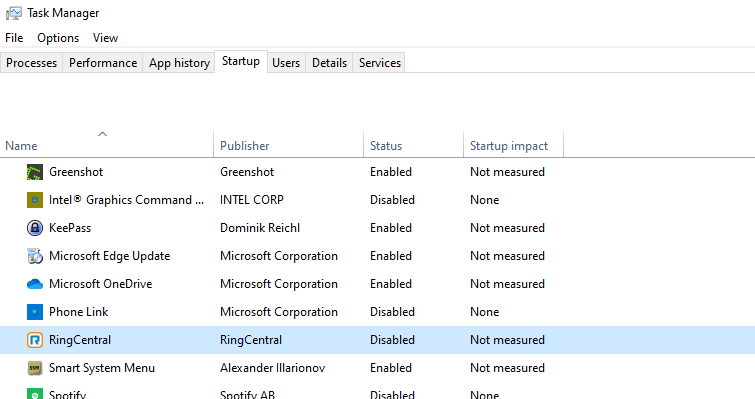
    Press Ctrl+Shift+Esc to open Task Manager.
    Go to Startup
    Right click RingCentral and Disable it.
    Example Picture:


    2 replies

    Problem Solver
    Participating Frequently
    October 15, 2024

    Press Ctrl+Shift+Esc to open Task Manager.
    Go to Startup
    Right click RingCentral and Disable it.
    Example Picture:


    Mary-Community_Moderator
    Community Manager
    Community Manager
    October 15, 2024

    Hi @Babyboomer 53 if @Problem Solver‘s response answered your question, please consider marking it as the Best Answer. Thank you!