



The First Step
June 9, 2022
Question

Cannot make WebRTC Demo App or Embeddable Widget working

Hello,

I'd like to perform some platform testing and as far as I understood from the documentation either WebPhone of Embeddable Widget can be used to place calls. I created a sandbox account. When I try to use one of the above apps I end up with the error message:


The service is temporarily unavailable. Please try again later. If the problem persists, please contact RingCentral support
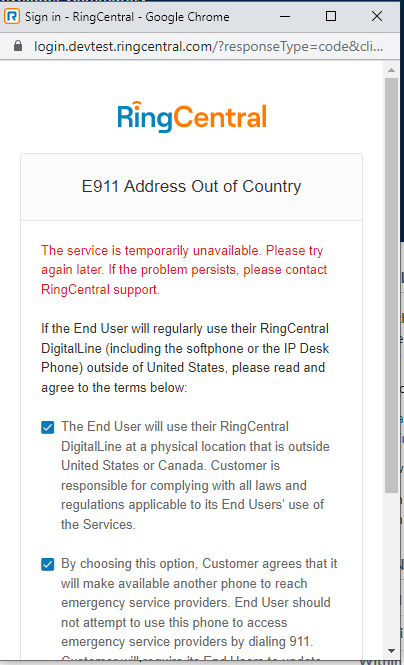
1654770293922.png


Environment i'm using:

- Chrome browser

- I'm based in Germany

- I try to use 3-legged OAuth flow authorization code

- I don't have any adblockers at my machine

- I had tried to disable Windows Defender Firewall it didn't help

Best,

Nikolai

    4 replies

    PhongVu
    Community Manager
    Community Manager
    June 9, 2022

    Is your screenshot the WebRTC phone app? Did the error happen when you set the 911 emergency address or right after you login? Your sandbox and it's phone number is in the U.S, how do you specify the address?

    Employee
    June 10, 2022

    Can it work now? It look like the address validation service is temporarily unavailable.

    The First Step
    June 10, 2022

    No. It doesn't work

    Employee
    June 20, 2022

    Hi @Nikolai Chashchin We found root cause is the emergency address service can't work with RingCentral App device. It is on queue to fix.
    For now, you can go to https://service.devtest.ringcentral.com/application/company/phones/userPhones And change the phone to Bring Your Own Device (Use an existing SIP phone / "Set up manually using SIP"). After that, you can login at web phone app.
    You can also create new device, and select Existing phone.
    1655715692159.png