The First Step
September 15, 2021
Solved

High volume sms app invalid CSV

I've uploaded a csv file that is almost identical to what is provided in the help menu in the high-volume sms app, and it keeps saying "invalid csv". What gives?

    kl3020Answer
    The First Step
    September 15, 2021

    Thanks @Anirban

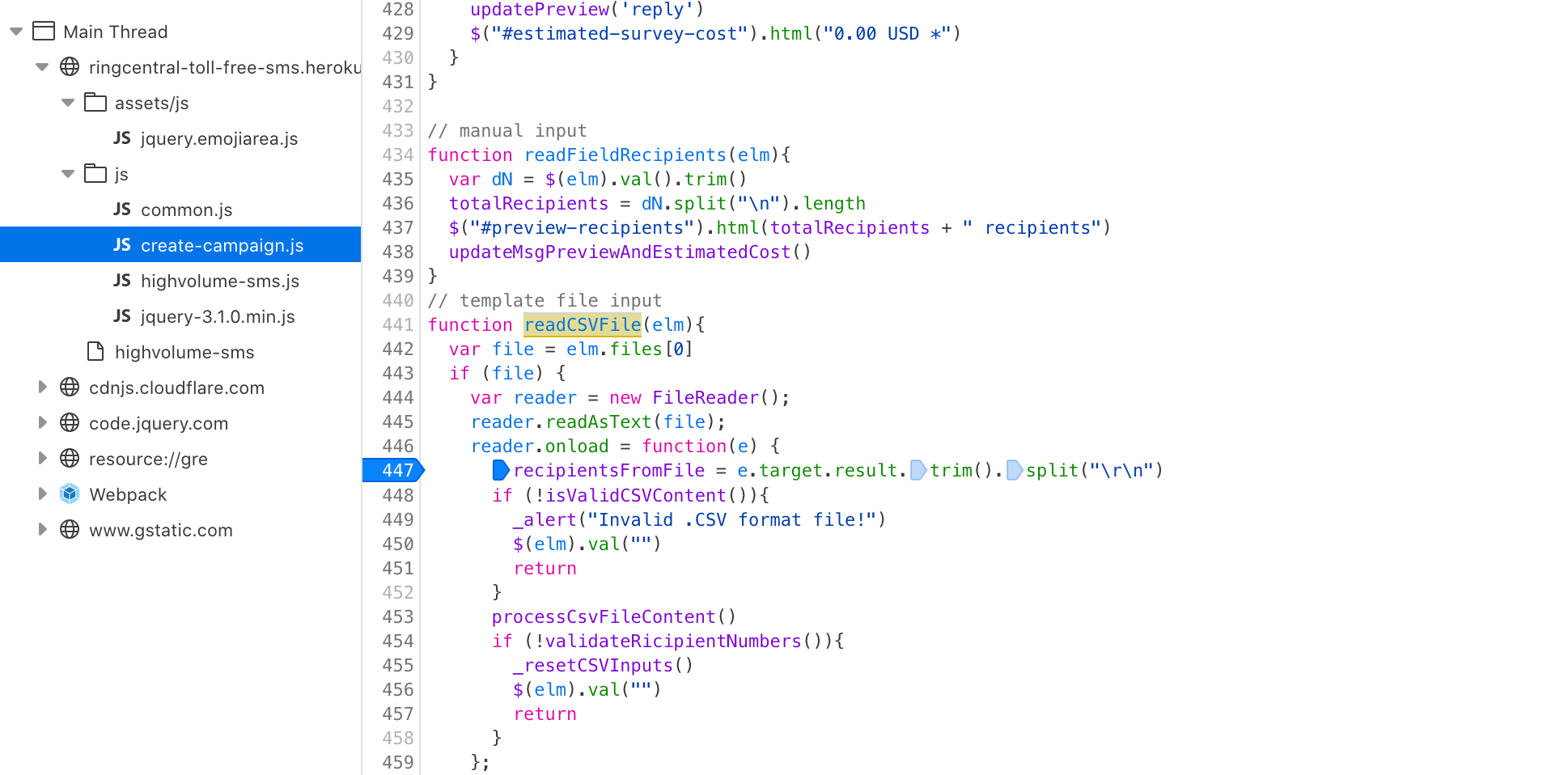
    As it turns out the High Volume SMS CSV upload for a campaign message send expects a DOS formatted CSV. AKA " " or carriage returns only. This can be seen in the JS of the app at time of writing:
    screen-shot-2021-09-15-at-33718-pm.pngSo essentially CSV imports are broken on any system except windows.

    Unless you run the `unix2dos` command on your CSV prior to import. Which is what worked for me.

    So it's bug that should be fixed.

    2 replies

    The First Step
    September 15, 2021
    kl3020The First StepAuthorAnswer
    The First Step
    September 15, 2021

    Thanks @Anirban

    As it turns out the High Volume SMS CSV upload for a campaign message send expects a DOS formatted CSV. AKA " " or carriage returns only. This can be seen in the JS of the app at time of writing:
    screen-shot-2021-09-15-at-33718-pm.pngSo essentially CSV imports are broken on any system except windows.

    Unless you run the `unix2dos` command on your CSV prior to import. Which is what worked for me.

    So it's bug that should be fixed.