

New Participant
January 22, 2021
Question

Zapier integration issues

Our company has zaps from RingCentral to Google Drive for each of our users' extensions. Within the past few weeks several of our RingCentral accounts continue to expire in Zapier (see the screenshots). I've reconnected them, but within a week some have disconnected again. Zapier support said it was an issue on the RingCentral end. zapier-ringcentral-error-1.jpg
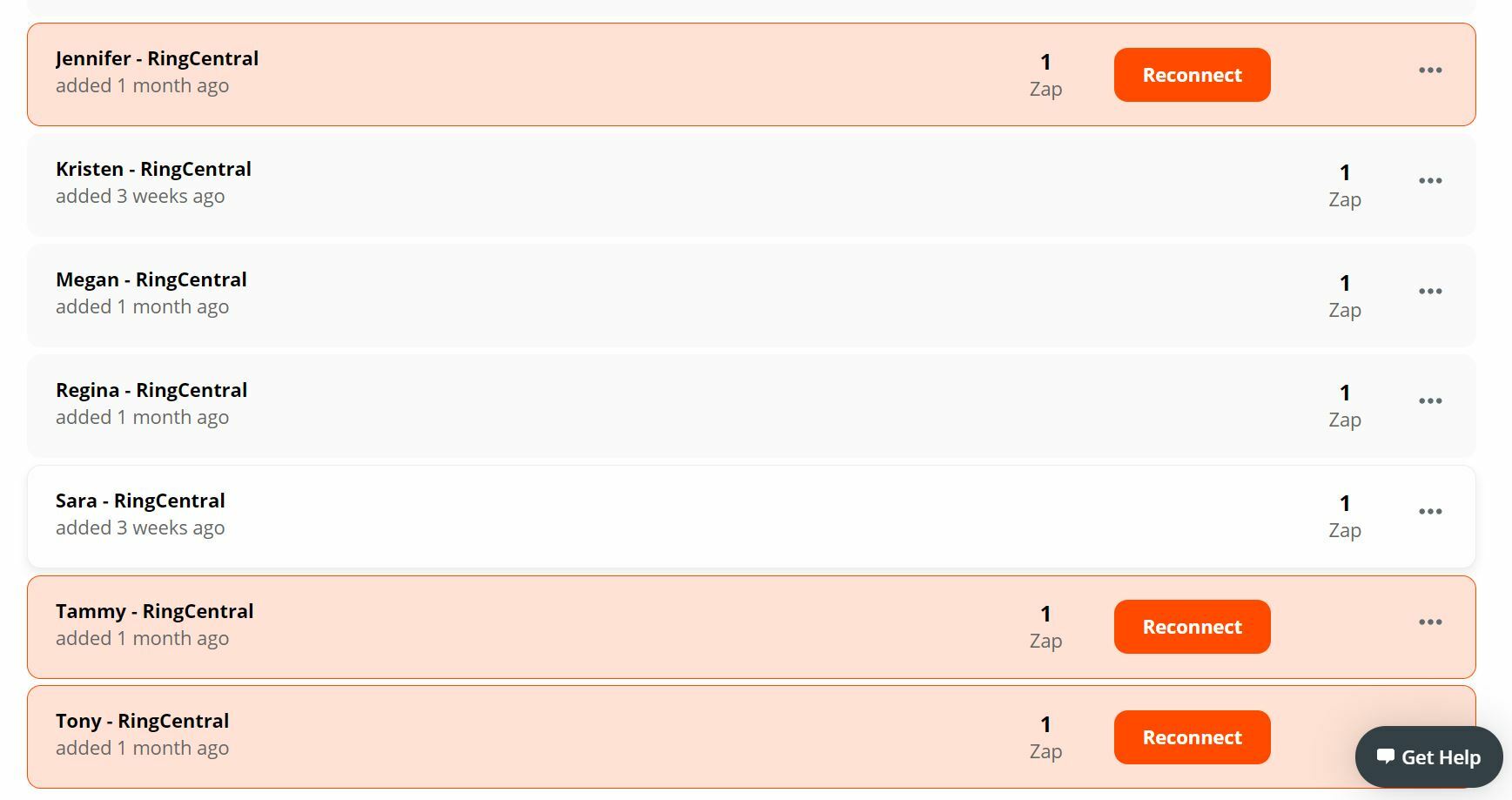
    9 replies

    January 22, 2021

    Hello @Sara McDaniel! I would highly suggest opening a case HERE for integrations issues, and our support will contact you as soon as possible. Thank you!

    New Participant
    January 23, 2021

    you figure out a resolution to this? I'm having the same problem.

    New Participant
    January 23, 2021

    you figure out a resolution to this? I'm having the same problem.

    New Participant
    January 26, 2021

    I too am having the same issue.

    New Participant
    January 26, 2021

    Zapier has told me that the issue with Ring Central is tied to sending data to another source like Google Drive.

    New Participant
    April 9, 2021

    I'm having a related issue with Zapier - the duration of the call continues to show up in "seconds" not HH:mm:ss. I got it to work once and thought it was fixed, but it reverted back to the old format after running once.

    New Participant
    March 12, 2023

    I'm trying to set this up with Zapier's API Request but I'm running into issues. Zapier gives me a "Raw request failed." error screenshot-2023-03-11-184635.jpgscreenshot-2023-03-11-184705.jpg


    I tried created a test app in a sandbox account which seems to work thru the "Try it out" option on RingCentral but I can't get it to work on Zapier.

    Mike Stowe
    Community Manager
    Community Manager
    March 12, 2023

    Thank you for letting us know about this issue, I've forwarded this to our product team to review and investigate. If you have not already submitted a support case, I would also recommend doing so using the link provided by Jenn - https://support.ringcentral.com/contact-support.html

    New Participant
    March 12, 2023

    The output is below:


    _full_response_data_
    REDACTED
    request:
    method: POST
    url: https://platform.ringcentral.com/restapi/v1.0/account/accountId/extension/extensionId/address-book/contact
    querystring: null
    headers:
    accountid: REDACTED
    extensionid: REDACTED
    clientid: REDACTED
    body: {
    "firstName": "REDACTED",
    "lastName": "REDACTED",
    "nickName": "REDACTED",
    "company": "REDACTED",
    "email": "REDACTED",
    "webPage": "",
    "notes": "Created via Zapier Integration",
    "homePhone": "REDACTED",
    "homeAddress": {
    "street": "REDACTED",
    "city": "REDACTED",
    "state": "REDACTED",
    "zip": "REDACTED"
    }
    }
    
    
    response:
    status: 403
    headers:
    connection: close
    content-language: en
    content-length: 369
    content-type: application/json
    date: Sun, 12 Mar 2023 03:18:58 GMT
    rcrequestid: a09fb710-c084-11ed-bd5d-0050568de9f3
    routingkey: SJC01P01
    server: nginx
    www-authenticate: :censored:168:4b9f865eb8:
    x-rate-limit-group: heavy
    x-rate-limit-limit: 60
    x-rate-limit-remaining: 59
    x-rate-limit-window: 60
    data:
    
    errorCode: InsufficientPermissions
    message: In order to call this API endpoint, application needs to have [Contacts] permission
    errors: 1
    errorCode: CMN-401
    message: In order to call this API endpoint, application needs to have [Contacts] permission
    permissionName: Contacts
    permissionName: Contacts
    body: {
    "errorCode" : "InsufficientPermissions",
    "message" : "In order to call this API endpoint, application needs to have [Contacts] permission",
    "errors" : [ {
    "errorCode" : "CMN-401",
    "message" : "In order to call this API endpoint, application needs to have [Contacts] permission",
    "permissionName" : "Contacts"
    } ],
    "permissionName" : "Contacts"
    }