


Found Your Voice
Apr 10, 2026 12:07 AM UTC
Solved

Where to change call queue announcement for after hours

Hi all,

We have this call Queue and during after hours we want to play a message but not offer the caller to leave a voicemail.
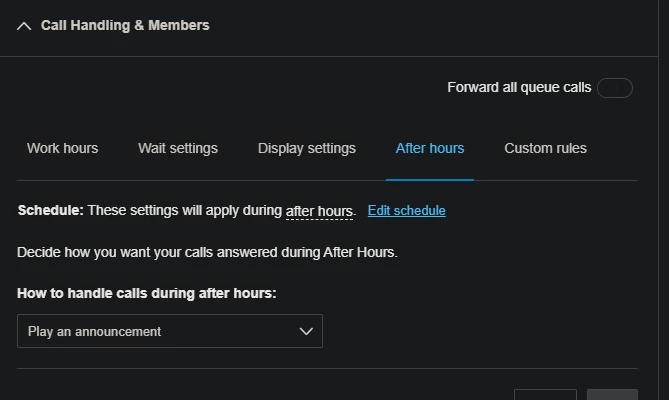
 

But as you can see from the screenshot I don’t get any option to alter what the announcement is.

But If I use a custom rule I can edit and go and upload a custom message.
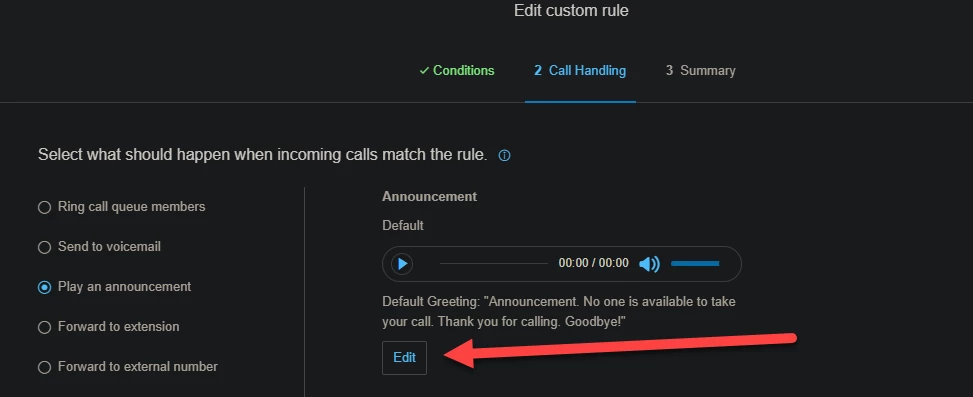


Do I simply have to use a custom rule or message only extension to configure this? 
LhomemAnswer
Found Your Voice
Apr 10, 2026 12:55 PM UTC

Hi,

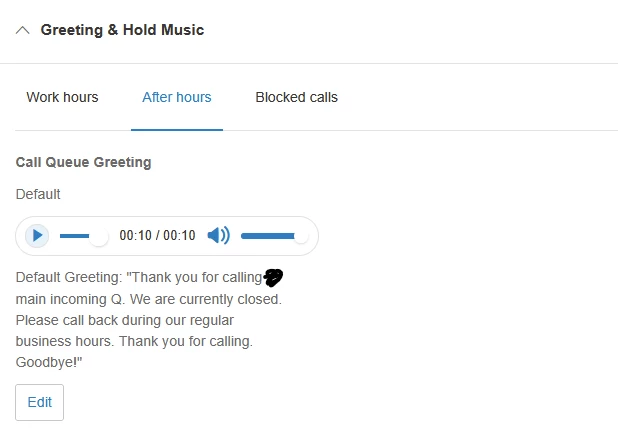
Choose play announcement and save it. then go to Greetings and hold music, go to after hours and you will be able to upload a greeting there, that will be played after hours for the queue. You could also use forward to extension and choose an announcement only extension.

Hope this helps.


2 replies

LhomemFound Your VoiceAnswer
Found Your Voice
Apr 10, 2026 12:55 PM UTC

Hi,

Choose play announcement and save it. then go to Greetings and hold music, go to after hours and you will be able to upload a greeting there, that will be played after hours for the queue. You could also use forward to extension and choose an announcement only extension.

Hope this helps.


Mary-Community_Moderator
Community Manager
Community Manager
Apr 10, 2026 5:02 PM UTC

Hi ​@H.KenneallyWW , if ​@Lhomem was able to help resolve your concern, could you kindly mark their response as “Best Answer”? This really helps others in the community find solutions faster. Thanks! 😊